
Download TurboLearn – AI-Powered Study Assistant for Students (Free, Secure, Update)
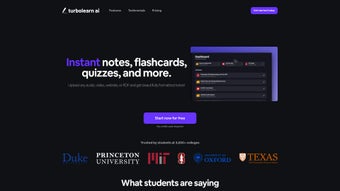
TurboLearn is a revolutionary web-based educational tool that leverages artificial intelligence to transform the way students learn. Whether you're preparing for exams, reviewing lecture notes, or diving into complex academic material, TurboLearn helps you study smarter, not harder. By uploading audio, video, websites, or PDFs, the AI instantly processes your content and generates structured notes, interactive flashcards, and personalized quizzes.
This powerful combination of features makes TurboLearn a must-have software for high school and university students aiming to improve comprehension, retention, and academic performance. With support for multiple content formats and a user-friendly interface, TurboLearn streamlines the study process and adapts to your learning style. While it currently lacks offline access and team collaboration tools, its core functionality remains unmatched in the education tech space.
Download TurboLearn today and experience a smarter, faster, and more engaging way to study on Windows, Mac, Android, and iOS.
Key Features of TurboLearn: Smart Learning Made Simple
TurboLearn stands out in the crowded edtech market thanks to its intelligent, multi-format content processing engine. The software’s standout feature is its ability to ingest a wide variety of input types—be it a lecture recording, a research paper in PDF format, a YouTube video, or even a web article—and convert them into digestible, well-structured study materials. This versatility ensures that no matter how you consume your educational content, TurboLearn can help you make sense of it. The AI analyzes the material, identifies key concepts, and organizes them into clear, concise notes that mirror the structure of academic summaries.
Another powerful feature is the automatic creation of interactive flashcards. These aren’t just static text cards; they’re dynamic learning tools that use spaced repetition algorithms to optimize recall. Each flashcard includes definitions, examples, and even audio pronunciations where applicable.
This helps reinforce memory retention over time, which is especially useful for language learning or mastering technical terminology. Additionally, TurboLearn generates personalized quizzes based on the uploaded content, allowing users to test their understanding in real time. These quizzes adapt in difficulty based on performance, ensuring a truly customized learning experience.
The platform also supports real-time summarization, which is ideal for students who need to quickly grasp the essence of lengthy texts. Whether it’s a 50-page textbook chapter or a 45-minute lecture, TurboLearn delivers a concise overview in seconds. This feature is particularly helpful during exam prep when time is limited. Furthermore, the tool includes a distraction-free study mode, which removes clutter and keeps users focused on their learning goals. With seamless integration across devices—Windows, Mac, Android, and iOS—TurboLearn ensures that your study materials are always accessible when you need them.
How to Install & Use TurboLearn: A Step-by-Step Guide
Getting started with TurboLearn is quick and hassle-free, thanks to its web-based architecture. There’s no need to download or install any software, making it accessible from any device with an internet connection. To begin, simply visit the official TurboLearn website and create a free account. The registration process takes less than a minute and requires only an email address and a password. Once signed in, you’ll be directed to the dashboard, where you can start uploading your study materials.
Uploading content is straightforward: click the “Upload” button and select your file—whether it’s a PDF, an audio recording, a video from YouTube, or a web page URL. TurboLearn supports most common file types and can even extract text from scanned documents using OCR technology. After uploading, the AI begins processing your material instantly. Within seconds, you’ll see a summary, a set of flashcards, and a personalized quiz generated from your content.
Once the materials are ready, you can explore them in the study interface. The notes are clearly formatted with headings, bullet points, and highlighted keywords for easy scanning. Flashcards can be reviewed in various modes—flip, drag-and-drop, or quiz mode—making studying both fun and effective.
You can also customize the difficulty level of the quiz or set a timer to simulate exam conditions. As you progress, TurboLearn tracks your performance and adjusts future quizzes accordingly. To keep your study sessions consistent, you can schedule reminders and set goals directly in the app.
All your data is securely stored in the cloud, so you can pick up right where you left off, no matter which device you’re using.
TurboLearn Compatibility: Works on Windows, Mac, Android, iOS
TurboLearn is designed with cross-platform accessibility in mind, ensuring that students can use it regardless of their preferred device. Whether you’re on a Windows PC, Mac laptop, Android smartphone, or iOS tablet, TurboLearn delivers a seamless experience. The software runs entirely in your browser, so there’s no need for separate installations or updates—everything is managed automatically by the cloud-based platform.
On desktops, TurboLearn’s responsive design adapts perfectly to both Windows and Mac operating systems, offering full functionality with no performance lag. The interface is intuitive, with clearly labeled buttons and smooth navigation. For mobile users, the TurboLearn app (available on Google Play and the Apple App Store) provides a touch-optimized experience, allowing you to study on the go. Whether you’re reviewing flashcards during a commute or summarizing a lecture while waiting for a bus, the mobile version ensures that learning fits into your lifestyle.
Additionally, TurboLearn supports all major browsers, including Chrome, Firefox, Safari, and Edge, ensuring compatibility across different environments. The platform also works well on tablets, making it ideal for students who prefer a larger screen for reading notes or watching video summaries. Because it’s cloud-based, your progress is synced in real time across all devices. This means you can start studying on your laptop at home, continue on your phone during lunch, and finish on your tablet before bed—all without missing a beat.
Pros and Cons of TurboLearn: Honest User Feedback
- Pros: AI-powered content summarization, interactive flashcards with spaced repetition, personalized quizzes, multi-format support (PDF, audio, video, web), cross-platform access (Windows, Mac, Android, iOS), free plan available, secure cloud storage, distraction-free study mode
- Cons: No offline functionality, limited collaboration tools, advanced features require a paid subscription, occasional delays in processing large files
Frequently Asked Questions (FAQ)
Can I use TurboLearn on my smartphone?
Yes, TurboLearn offers dedicated apps for both Android and iOS devices. You can download the TurboLearn app from the Google Play Store or Apple App Store and access all features directly from your smartphone or tablet.
Is TurboLearn free to use?
Yes, TurboLearn offers a free plan with essential features like basic note generation, flashcards, and quizzes. For advanced tools such as unlimited uploads, priority processing, and custom study plans, a premium subscription is available.
Does TurboLearn work with scanned PDFs?
Yes, TurboLearn uses OCR (Optical Character Recognition) technology to extract text from scanned PDFs and images, allowing you to generate notes and flashcards even from handwritten or printed documents.
Can I study offline with TurboLearn?
Currently, TurboLearn requires an internet connection to access its AI features. However, you can download study materials for offline review, though full functionality is only available online.
How secure is my data on TurboLearn?
TurboLearn prioritizes user privacy and uses end-to-end encryption for all uploaded content. Your data is stored securely in the cloud and is never shared with third parties. You retain full control over your materials at all times.
Final Verdict: Why Students Are Choosing TurboLearn
TurboLearn is more than just a study tool—it’s a complete learning companion that empowers students to take control of their education. With its AI-driven content processing, interactive flashcards, and adaptive quizzes, it transforms passive reading into active learning. Whether you're a high school student preparing for finals or a university scholar tackling dense academic texts, TurboLearn adapts to your needs and helps you retain more information with less effort.
While it currently lacks offline access and team collaboration features, its core strengths far outweigh these limitations. The ability to process multiple content types, work across devices, and receive personalized study materials makes TurboLearn a standout choice in the edtech space. Its secure cloud architecture ensures your work is always safe, and the free plan offers impressive value for students on a budget.
For anyone serious about improving their study habits, TurboLearn is a must-download. Experience the future of learning today—sign up for free and start studying smarter with TurboLearn.



.png)



